From the visit
to the payment.
Follow one encounter through Althais: the note, the codes, your review, the claim, the checks, and the money coming back.
One encounter,
start to finish.
It starts with
the note.
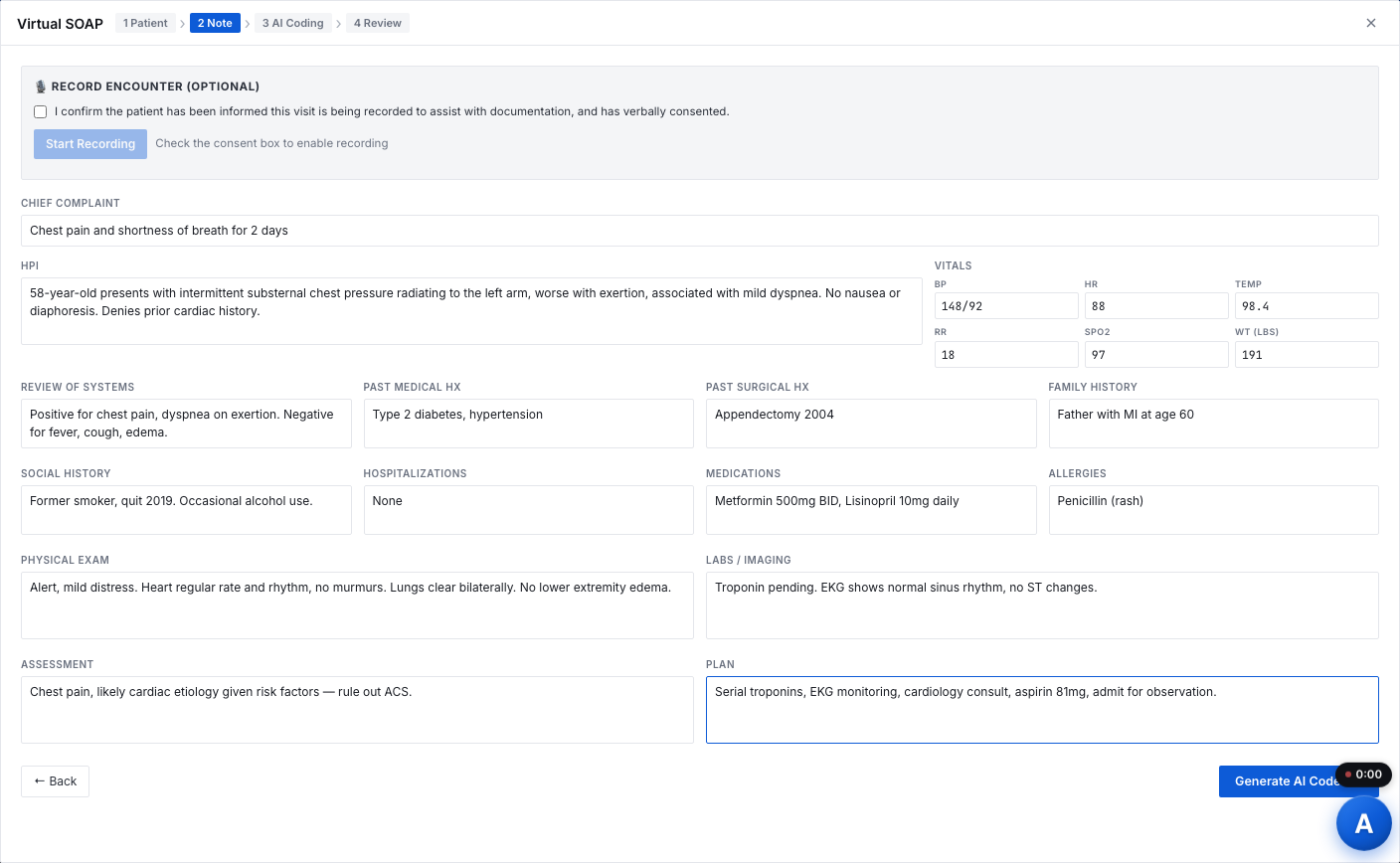
Clinical documentation is captured as-is: SOAP notes, dictation, or text from your EHR.
Codes come from
the documentation.
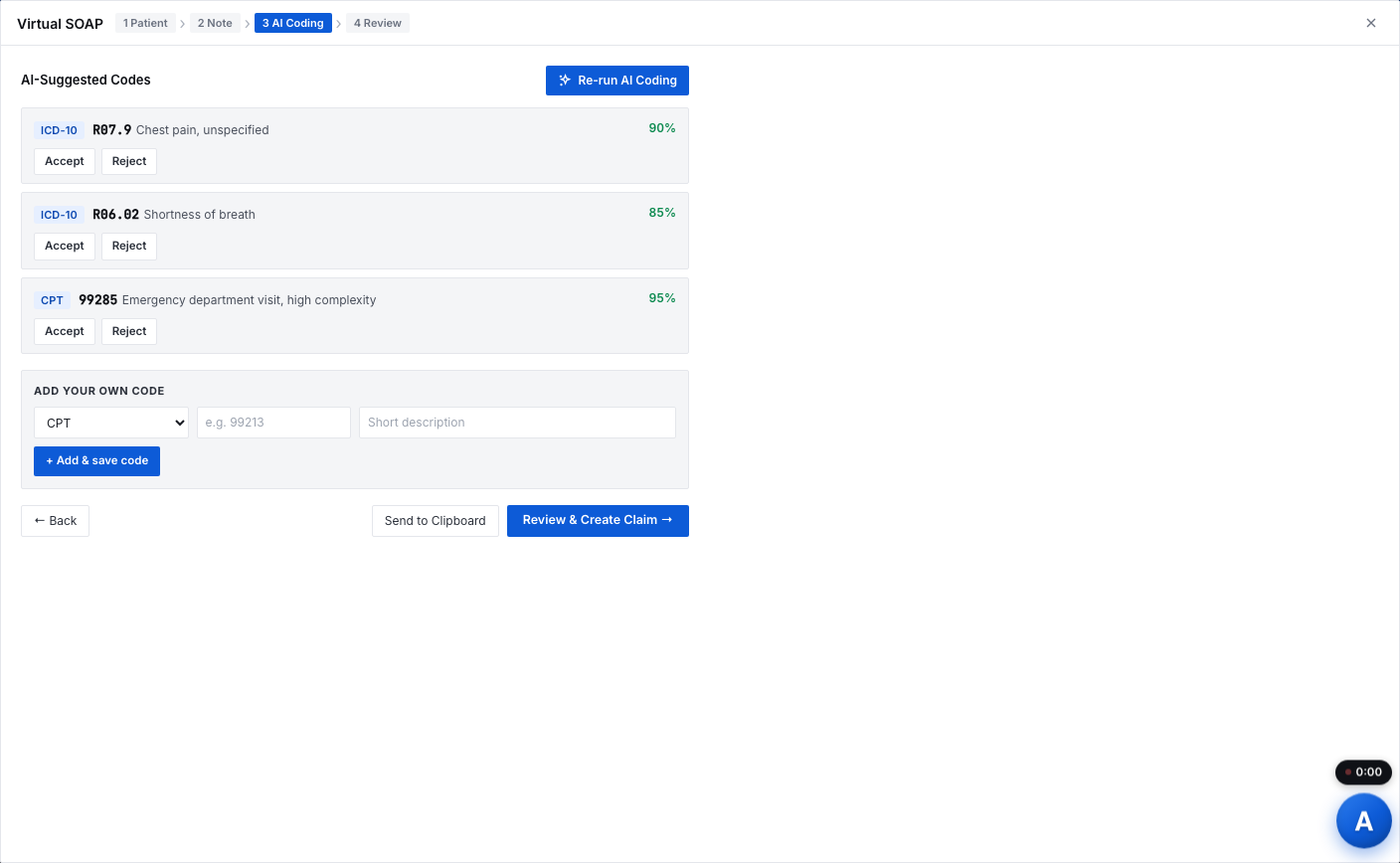
Diagnoses and procedures are pulled from the note as ICD-10 and CPT codes, with the right specificity and modifiers, and a confidence score on each.
A person decides
on every code.
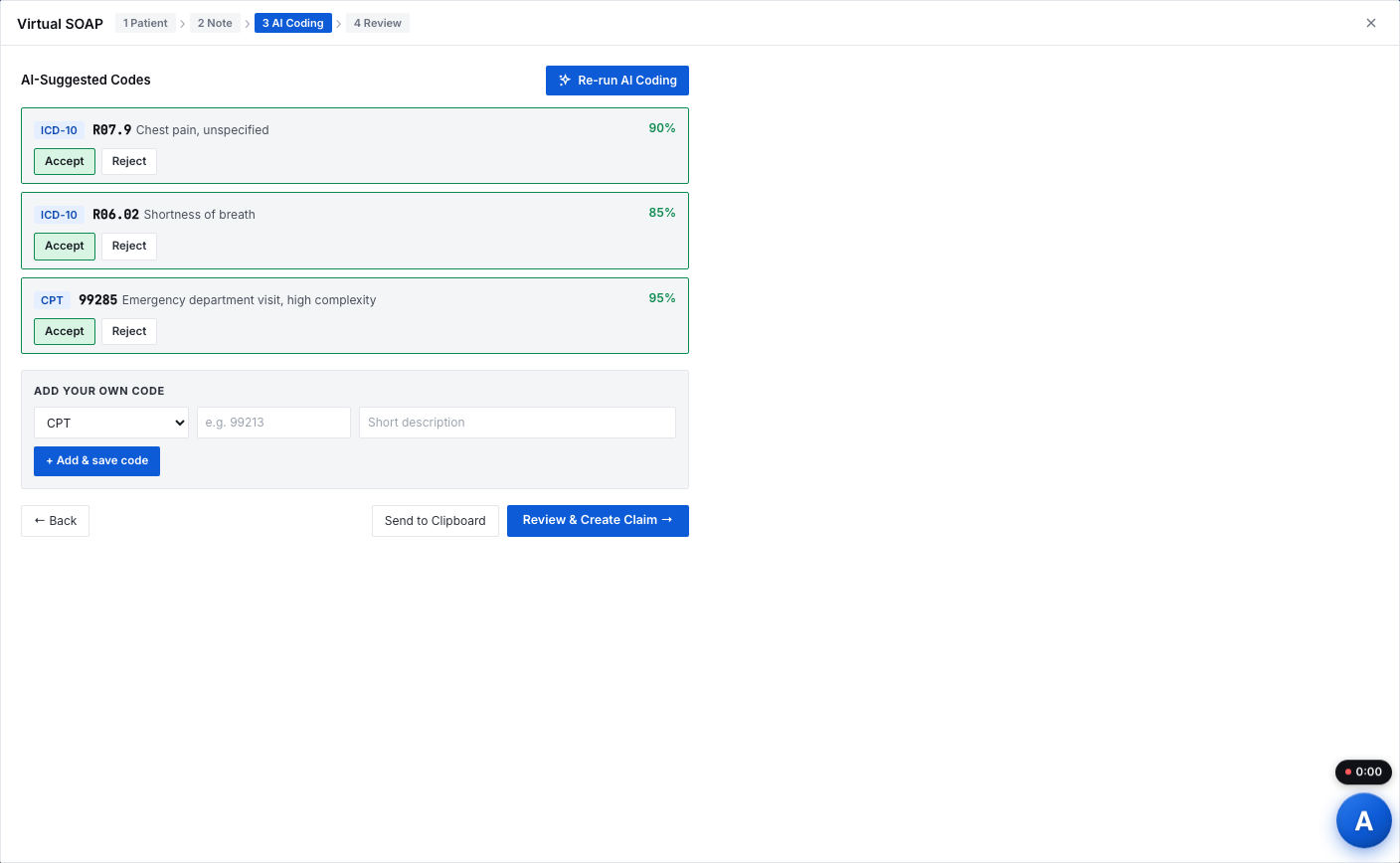
The rendering provider accepts, edits or rejects each suggested code. Nothing moves forward without that decision.
The claim
builds itself.
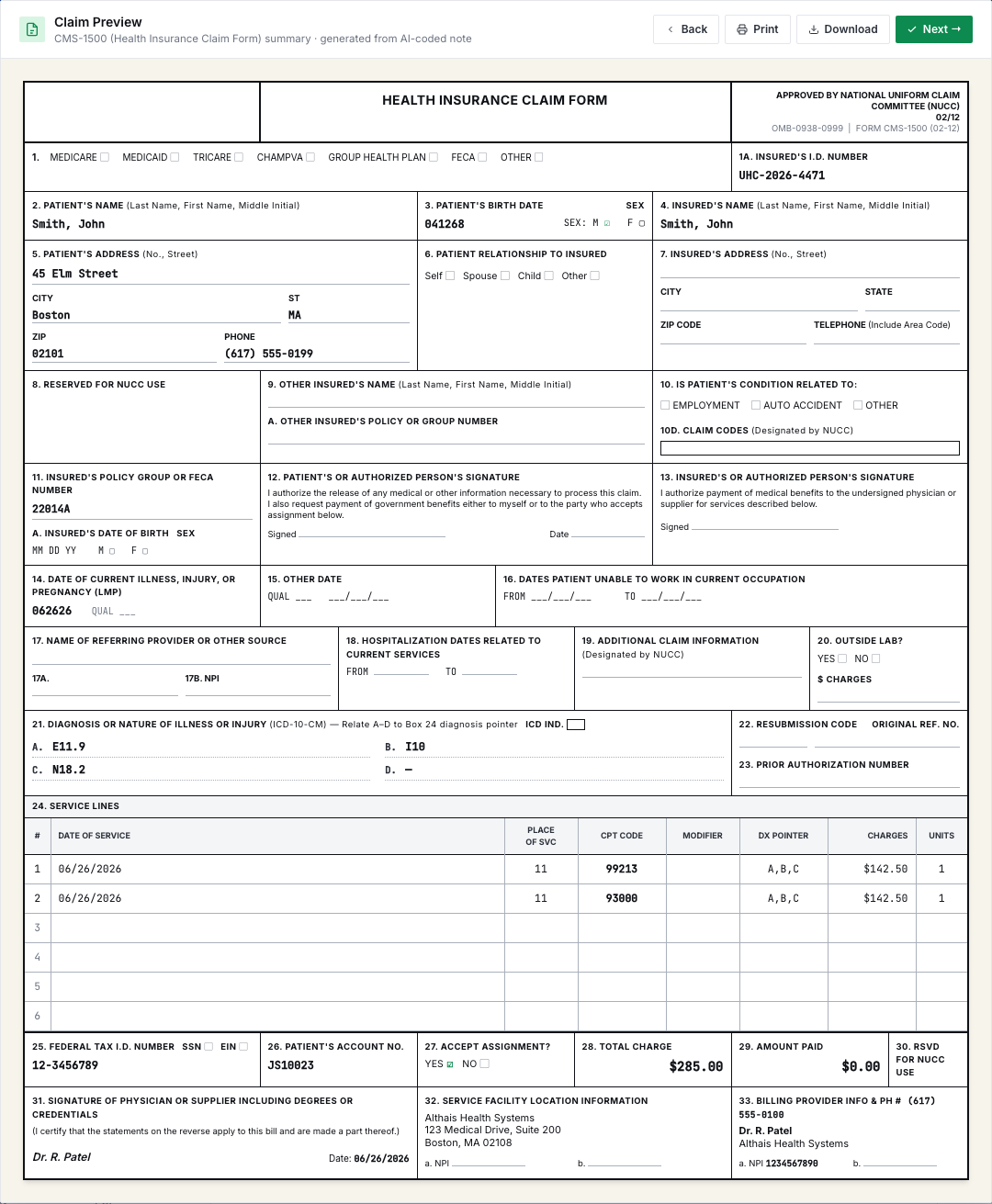
Approved codes, modifiers and encounter details are assembled into a CMS-1500 claim, ready to read once before it goes.
Checked before
it leaves the building.
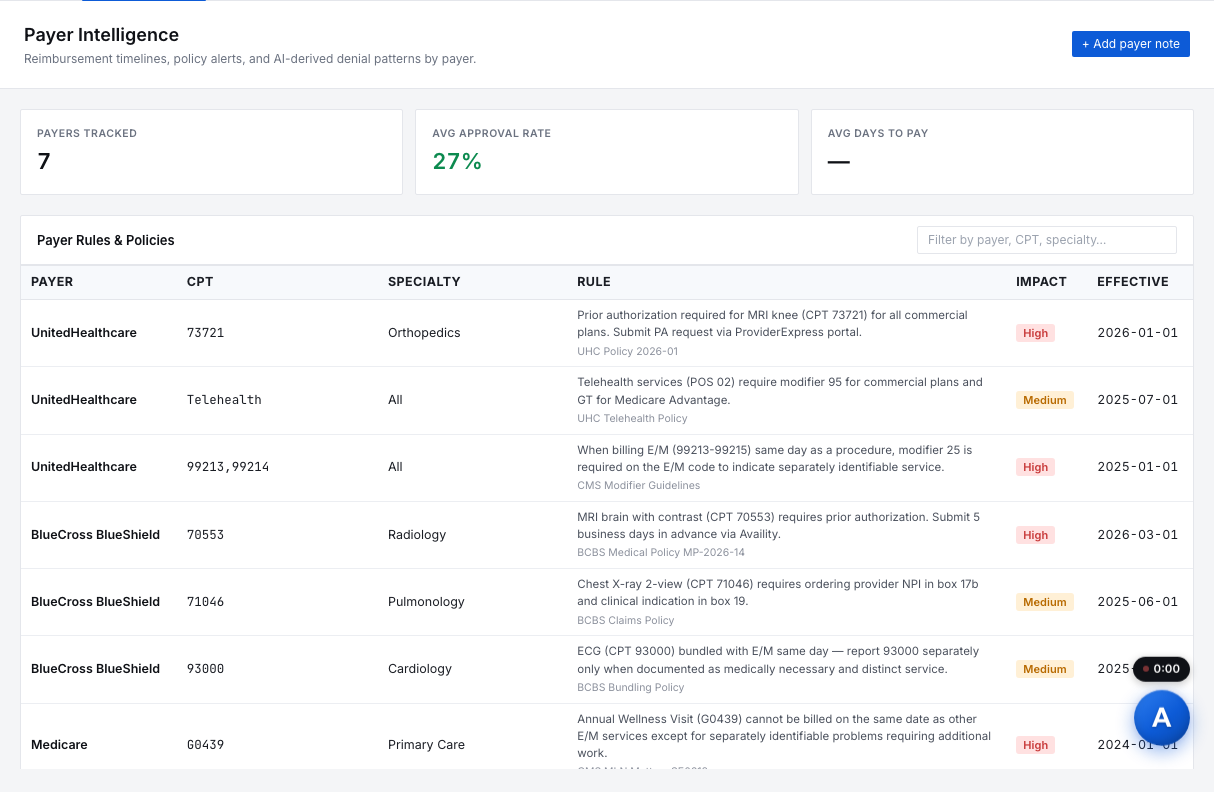
Each claim is checked against CMS edits and payer-specific rules, so problems are fixed before a denial instead of after.
Sent through
your clearinghouse.
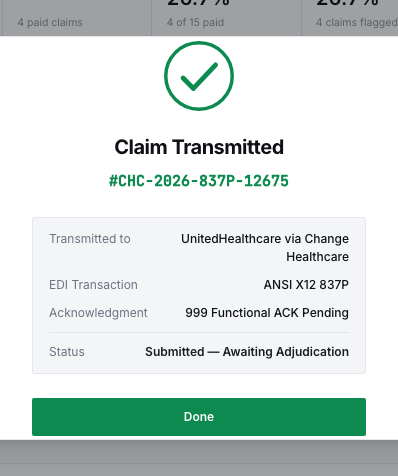
The clean claim is transmitted electronically through the clearinghouse you already use.
Every status,
as it changes.
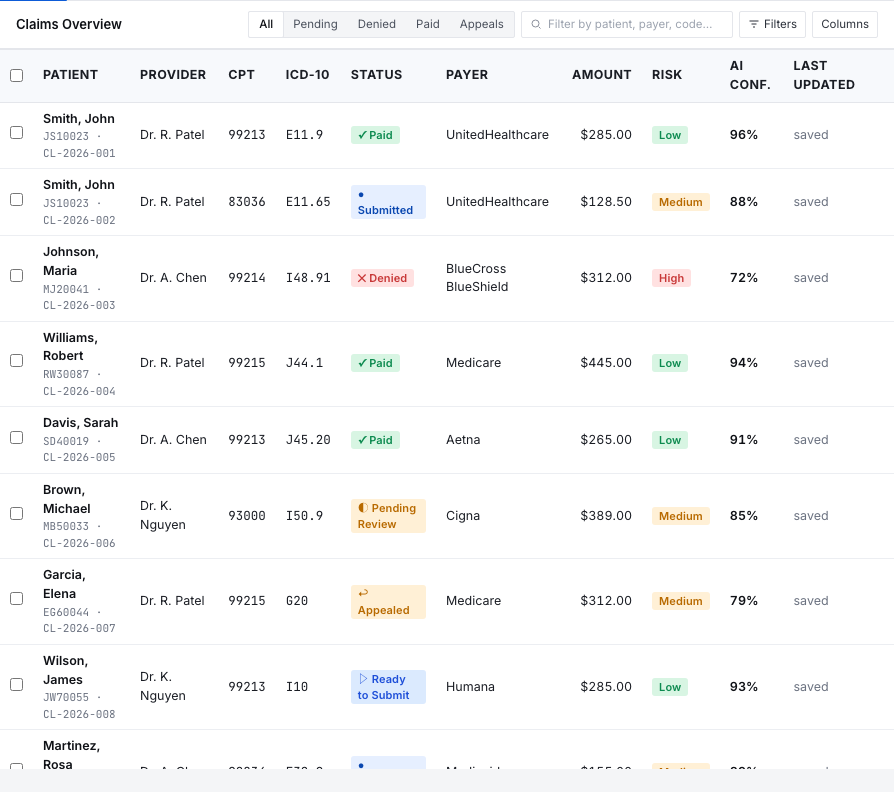
Accepted, pending, denied: updates flow back as they happen. Denials arrive with the reason and an appeal letter ready to draft.
The loop closes
when it's paid.
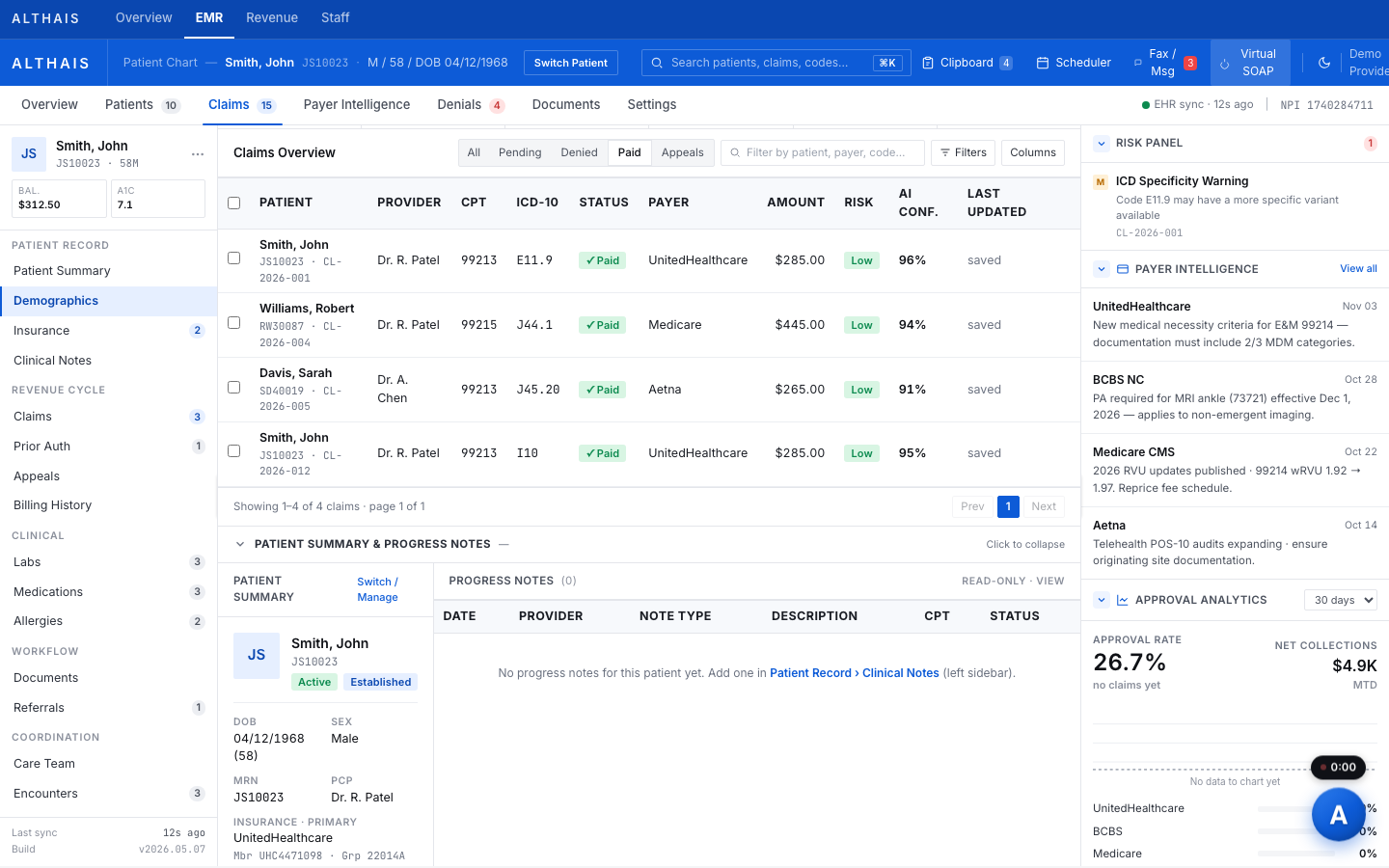
Payments are reconciled and posted against each claim, so you can see what came in and what still needs attention.
Live in 30 to 60 days,
with a pilot first.
- Week 1
Connect
Your EHR and clearinghouse are connected, and practice, provider and payer details are set up.
- Weeks 2 to 3
Tune
Coding is tuned to your specialty mix, roles are set, and your team is invited and trained.
- Pilot
Prove it
A small group of providers uses Althais on real documentation while you check the results.
- Rollout
Go live
Everyone moves over, with support included as you grow.
Everyone keeps their job. The busywork goes.
- Providers
- Record the visit, review the drafted note, sign it, and approve or change the codes
- Coders
- Review suggested codes with their confidence and reasons, and run the code check
- Billers
- Work the claims queue, fix held claims, send appeals and post payments
- Front desk
- Schedule and register patients so visits start with the right details
- Managers
- Invite staff, set role access, and see the whole practice's claims
- Althais
- Drafts notes, suggests codes, runs the checks, assembles claims and tracks them
Asked and answered.
How long does implementation take?+
Most organizations are live within 30 to 60 days: integrations first, then tuning, then a provider pilot before full rollout.
Who approves the codes?+
The rendering provider approves every code before it reaches a claim.
Do we need a new clearinghouse?+
No. Althais works with the clearinghouse you already use.
More of Althais.
Compare Althais
Why Althais beats the usual EMR setup.
Open For Your PracticeSecurity
Encryption, access control, audit logs and SOC 2 readiness.
Open For Your PracticePricing
Three tiers priced around claim volume, not seats.
Open PlatformAI Scribe
Record or paste a visit; get a SOAP note to review and sign.
Try the demo